


Ali Fitness Equipment
General Use Universal Treadmill Circuit Board Treadmill Console Display Screen Treadmill Motor Control Board Controller 1HP-4HP
General Use Universal Treadmill Circuit Board Treadmill Console Display Screen Treadmill Motor Control Board Controller 1HP-4HP
Couldn't load pickup availability
Universal Treadmill Circuit board Treadmill Console display Treadmill control board controller 1HP-2.0HP/1HP-4.0HP
"Only lower board" is a separate lower controller and does not include "display/cable/security key". Not a universal control panel. (Display screen + controller must be ordered at the same time to be a universal control system)
Package include:
1-2.0HP or 1-4.0HP controller *1 PCS
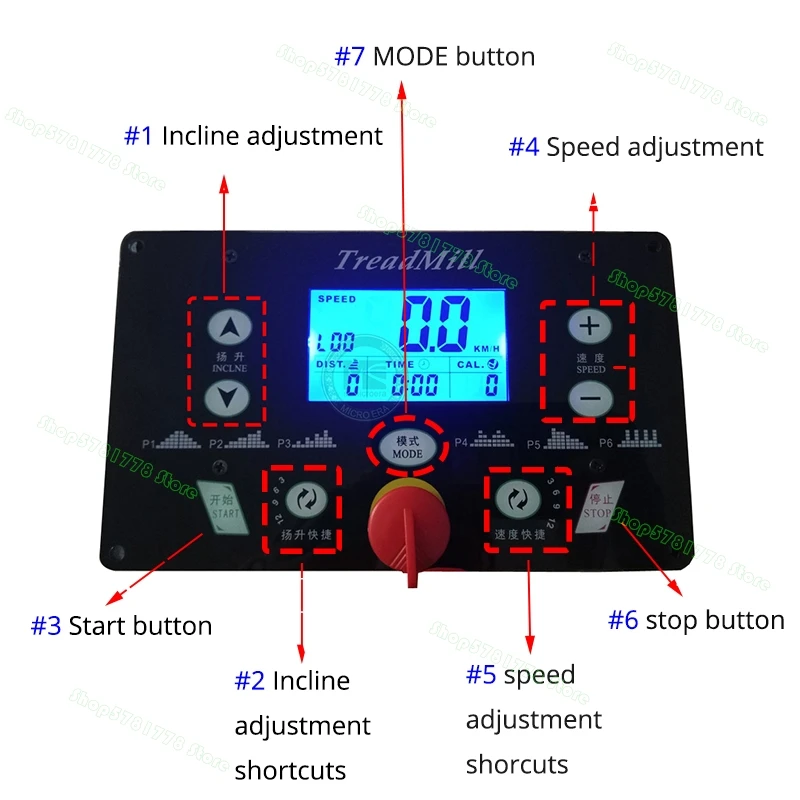
LED display *1PCS
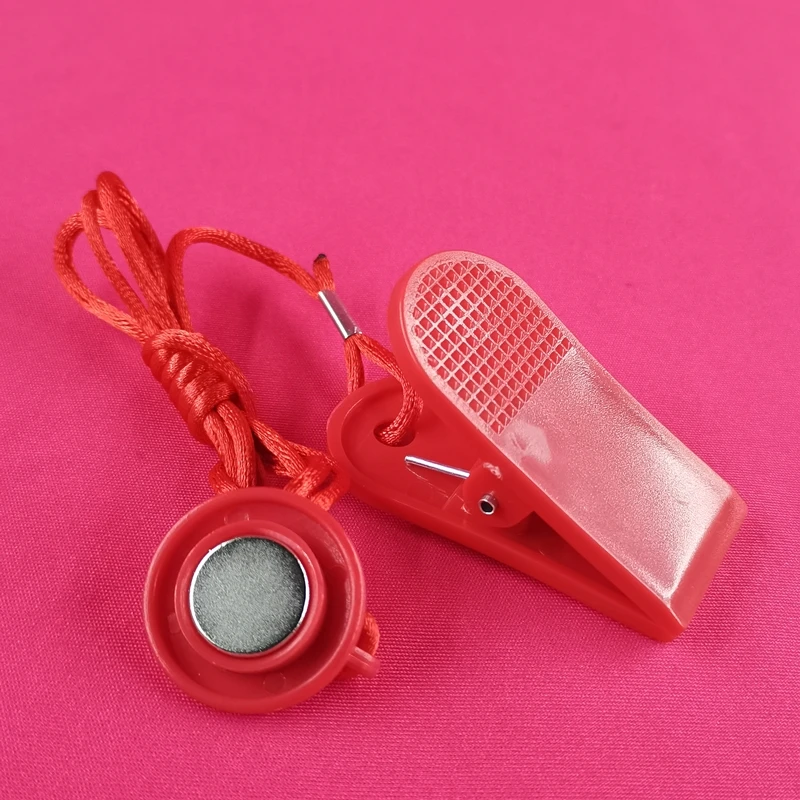
Safety key *1PCS
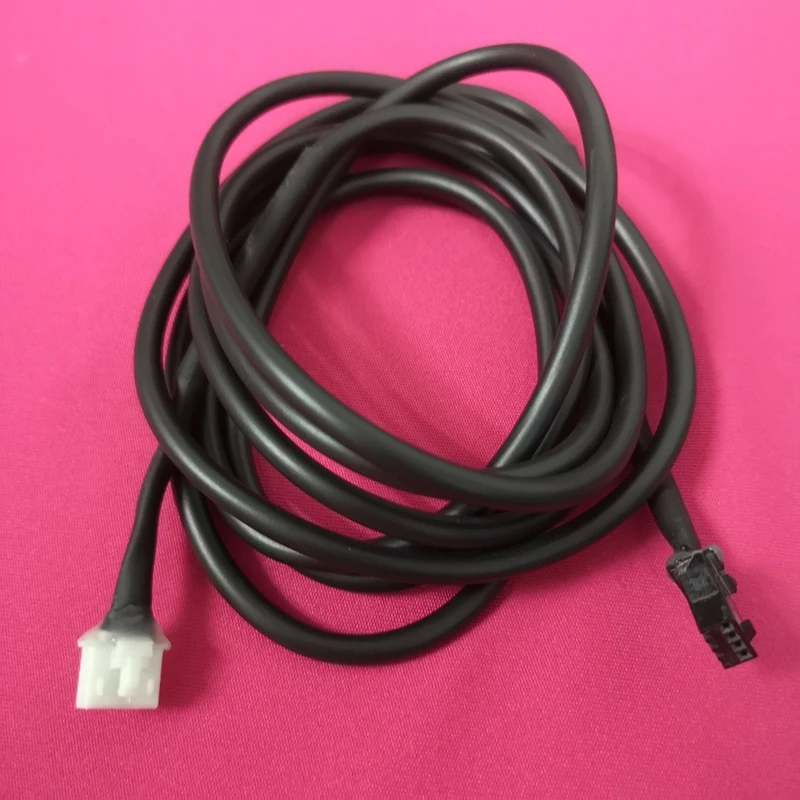
cable *1pcs
warranty: 3 months
Default MAX speed: 12km/h
220V AC input(leave message for 110V or other), Apply for DC motor 90V-260V
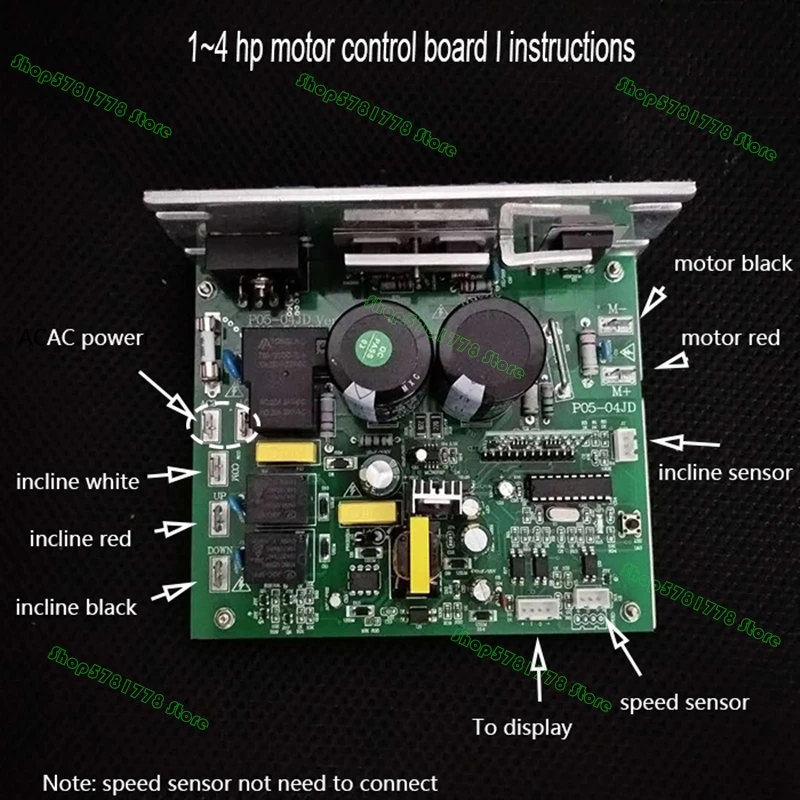
This controller set can work 100% without a speed sensor, so no need to worry.
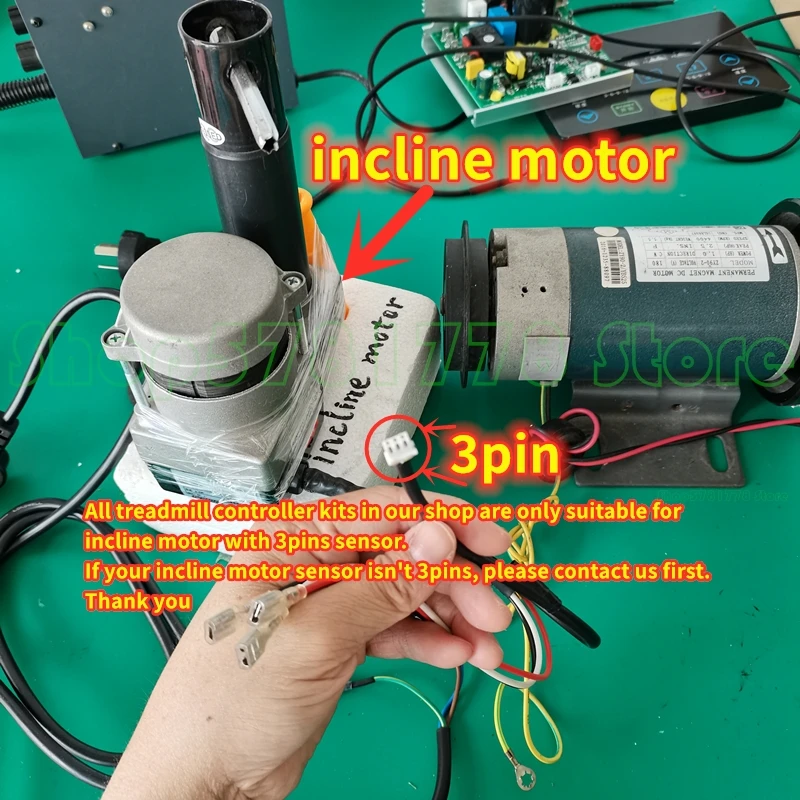
The controller of this kit with 3 pin incline sensor, if your incline sensor with only 2 pin, you need to give up the incline function or install a manual switch (to control the incline function).
Please make sure:
a. Motor performance OK
b. Transmit function OK, especially belt, lubrication normal.
c. Only work for home treadmill use DC motor.
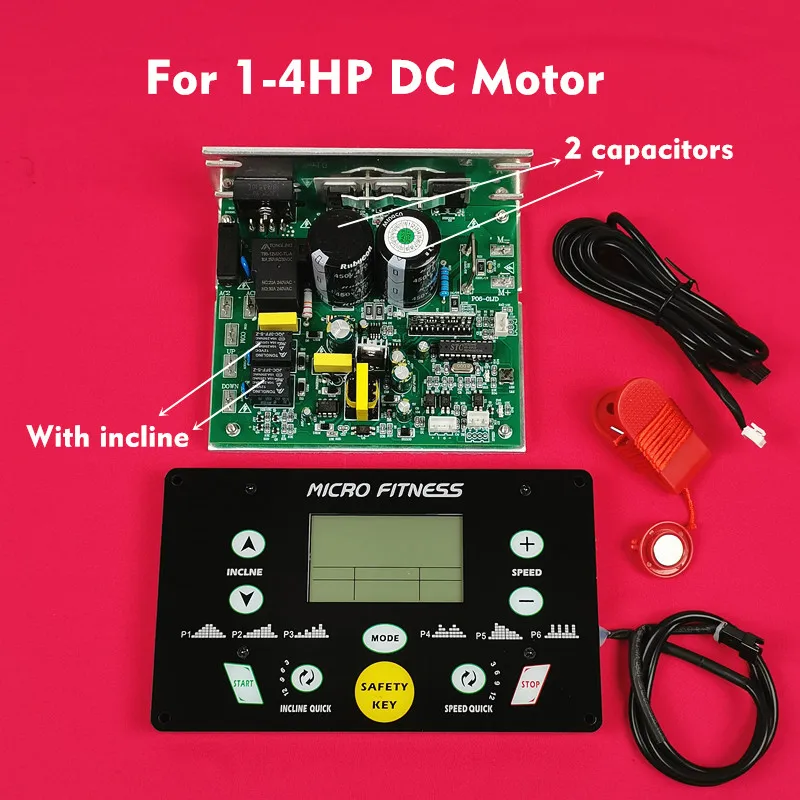
1-4.0HP with incline ↓
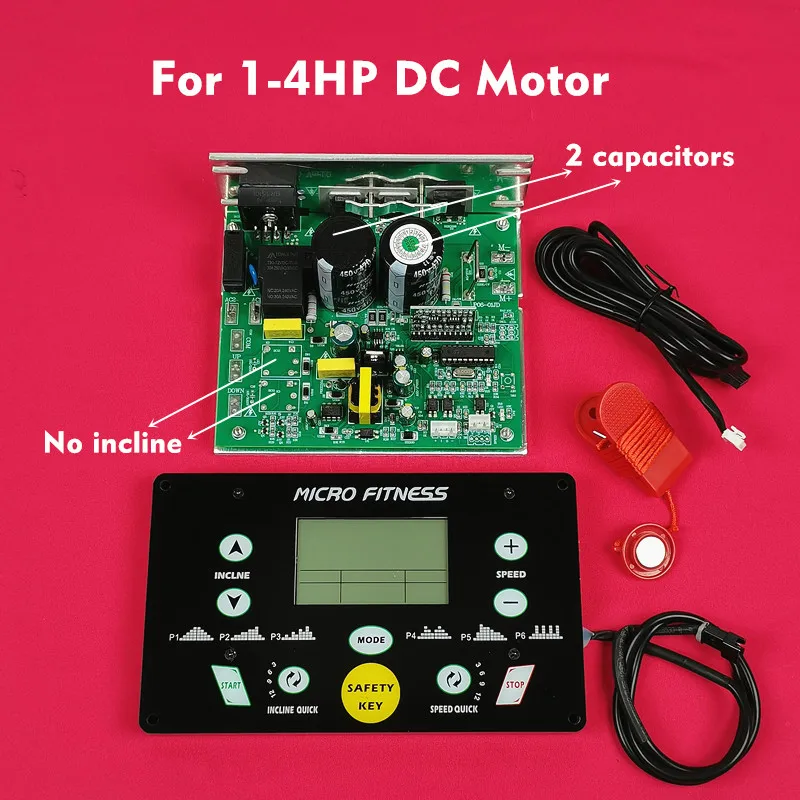
1-4.0HP with no incline ↓
1-2.0HP with incline ↓
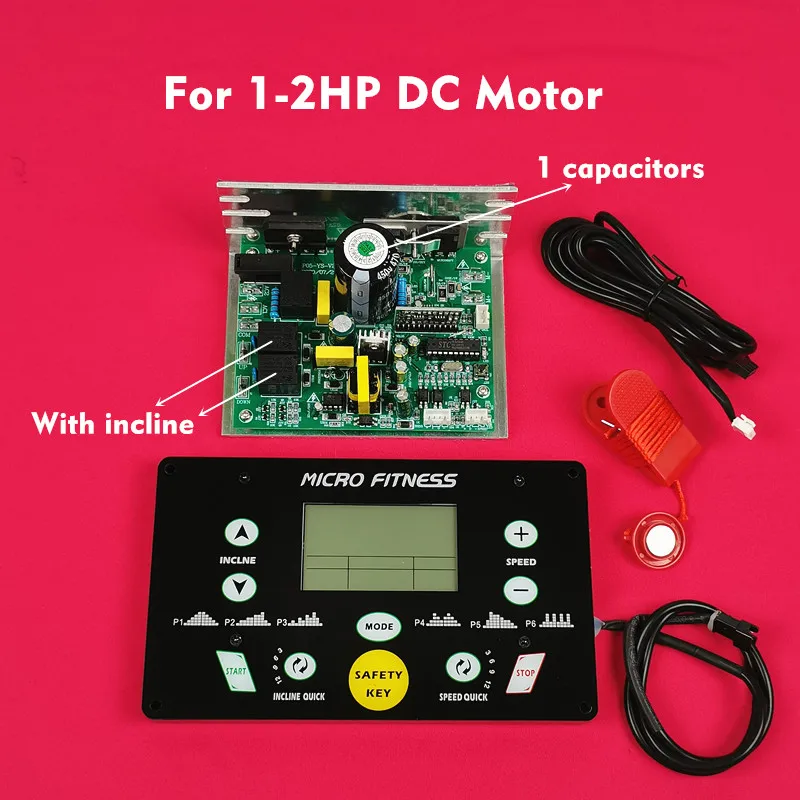
1-2.0HP with no incline ↓
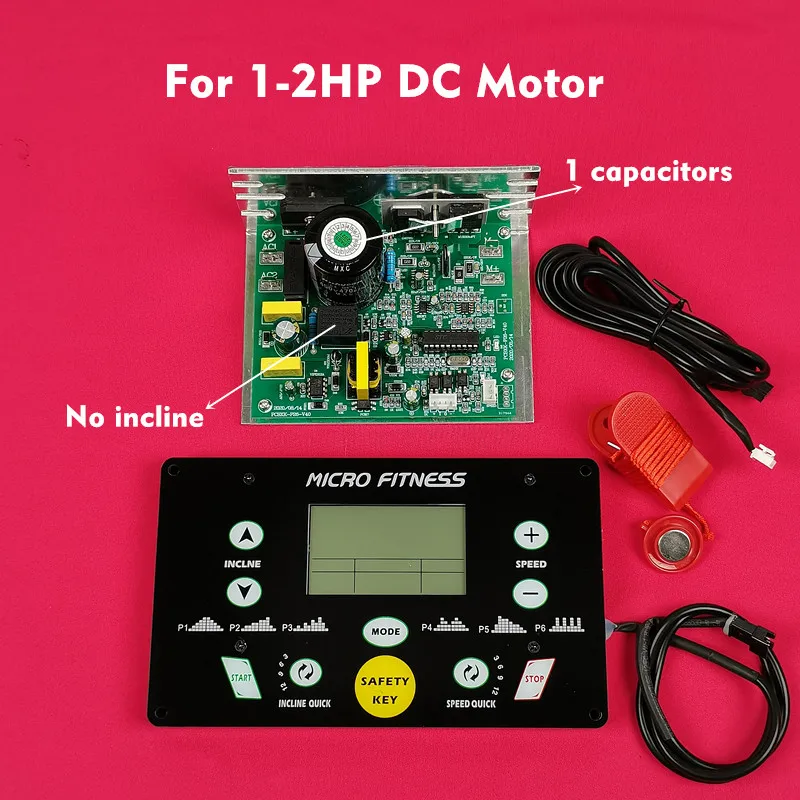
Real picture ↓
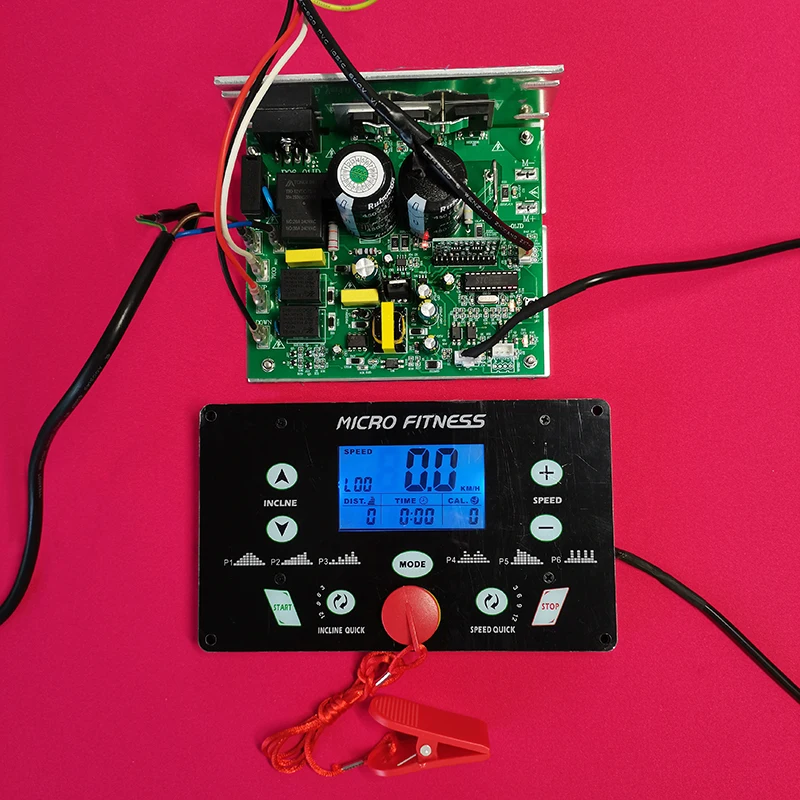
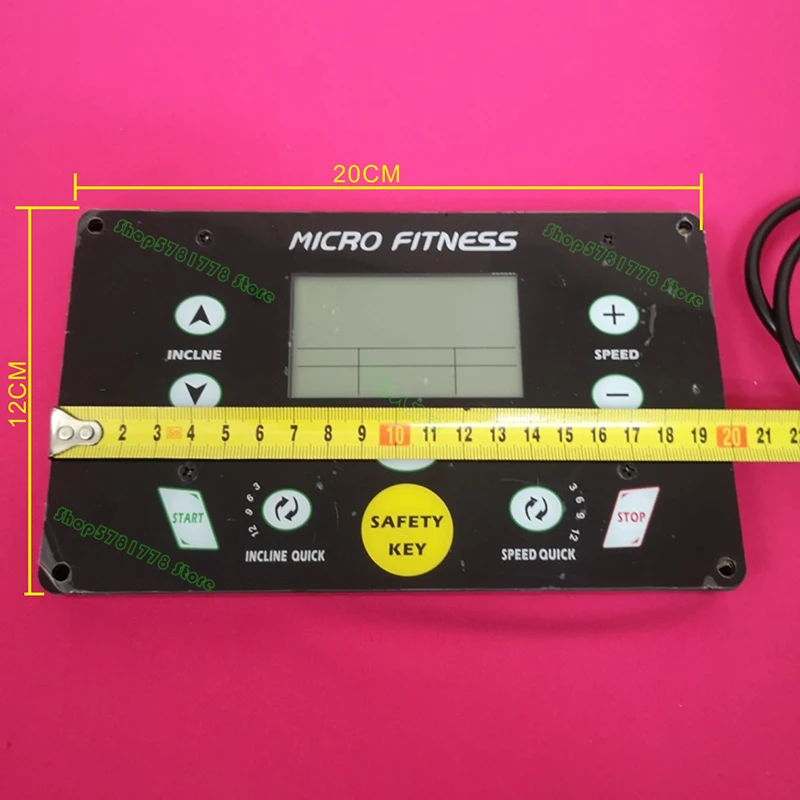
Controller type discrimination ↓
FAQ:
A. How to set Max speed 16km/h?(defaut max speed 12km/h)
1. remove safety key
2. press"mode" button for 3 seconds until you see 100
3. press"start" button twice until you see 102, the number on the right side of 102 is the default max speed--12
4. press speed+ to adjust the max speed, 16 max
5. press"start" button to save this setting
6. put safety key on display--OK now.
B: how do I connect speed sensor?
No need speed sensor for this kit
C. is it possible to adjust the inclination? the inclination is not flat.
YES, steps as below
1. remove safety key
2. press"mode" button for 3 seconds until you see 100
3. press"start" button several times until you see 105
4. 105=10.1 stands for incline function, 10.5=10.0 no incline function
5. press speed +_ button to adjust 10.0/10.1
5. press"start" button to save this setting
6. put safety key on display--OK now.
no. definition default range
101 mininum speed 1.0 0.5-3.0
102 max speed 12 3.0-16
103 speed calibration 13.5 1.0-20.0
104 /
105 incline function 10.0 10.0(no incline)/10.1(incline)
106 sensor 22.1
107 twisting force 3.0 0.5-20.0
PS: 106--21.9= with optical sensor 22.0=with magnetic sensor 22.1= with no sensor (this kit can work with no sensor)
107--if treadmill speed too high or too low, need to adjust the twisting force.
need to press start button to save setting.
Please make sure that the motor is in working order before placing your order. How to identify whether the motor is in working order ↓
1.Use 2-3PCS 5# batteries
2.Connect like photo
3.See motor running or not

User Feedback ↓
Feedback is the breakfast for the champion.Your feedback is very improtant to our business development and gauge of how can we doing. We sincerely invite you to leave positive feedback for us service.If you are satsdfied with our products and services.

General use Universal Treadmill Circuit board Treadmill Console display Treadmill motor control board controller 1.0HP-4.0HP DC motor


